iPhone Duo App Store screenshots, without an iPhone Duo.
Turn Xcode simulator captures into framed and half-folded shots at Apple's exact sizes, no alpha. In the browser, or from your build scripts.
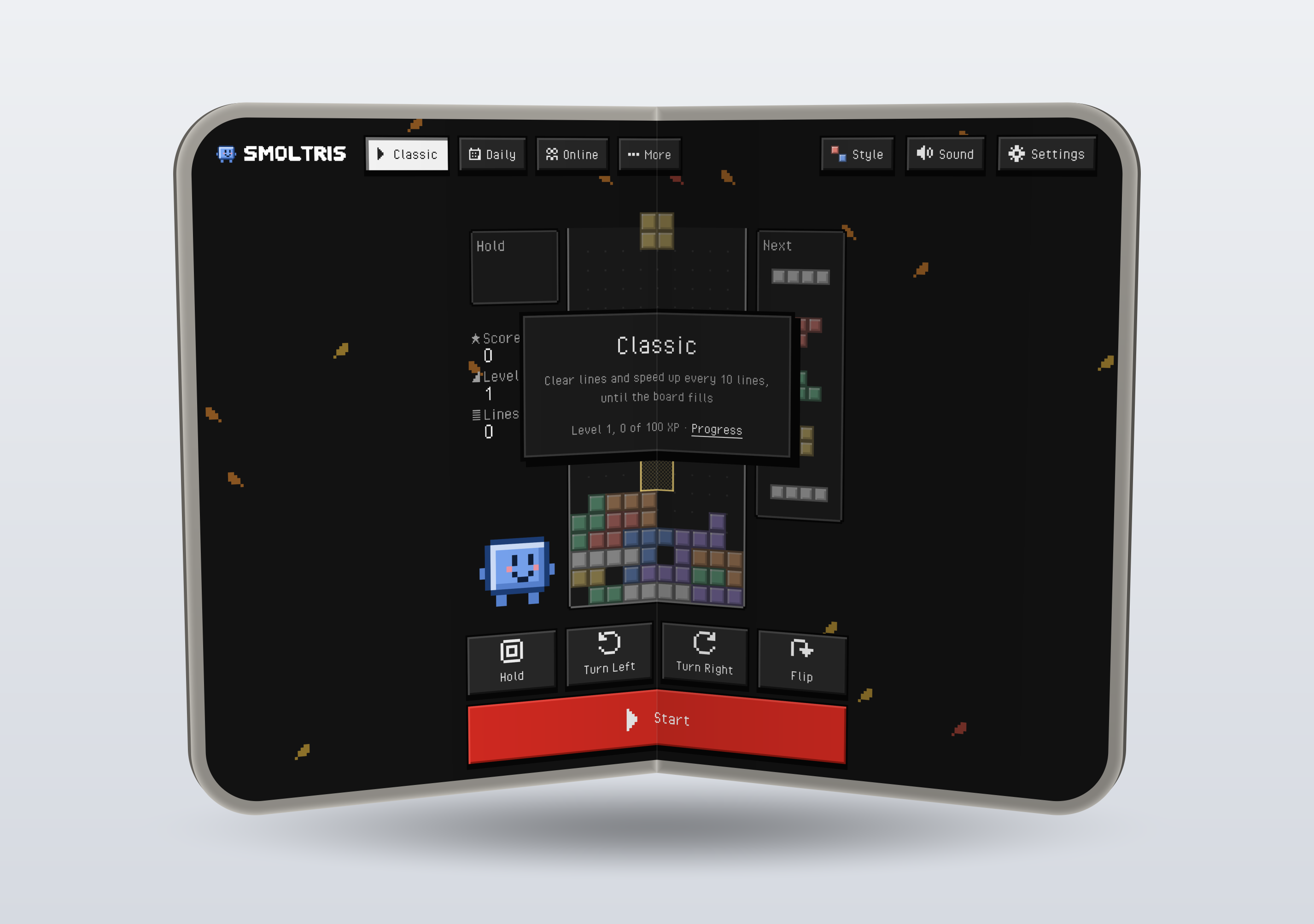
"When you submit iPhone Duo screenshots in App Store Connect, your App Store product page will display a badge to let people know your app is made for iPhone Duo."
Apple, screenshot specifications
"Starting in April 2027, screenshots will be required for any app using the iOS 27.1 SDK or later."
Apple, the same page, on the iPhone Duo sizes
Studio
Free previews carry a watermark. Everything renders in your browser: your screenshots never leave your computer.
Your screenshots appear here.
Duo readiness scan
Paste Swift, Objective-C or an Info.plist. The scan flags layout traps that show up on a foldable, and names where each rule comes from.
A static scan is a prompt to look, not a pass. Run your app at the Duo sizes before you upload. Studio owners get the same scan as a command for a whole project: duobadge scan ./MyApp.
Pricing
One payment, no subscription. Card checkout is run by Polar, the seller of record; USDC goes through our own checkout.
Single App
$29
- Full-size exports, no watermark
- Every style, finish and background
- Download all as a ZIP
- For one app's App Store listings
Studio
$79
- Everything in Single App, for any number of apps
- The command line tool: render, check and scan in your build scripts
- Updates through version 1
Unlock
Your code arrives by email and on the page after checkout. The link in the email unlocks this browser in one click; or paste the code here.
Command line tool: Download duobadge-cli.zip, then node duobadge.mjs activate <your code>. On a build machine, set DUOBADGE_CODE instead.
Questions
Do I need an iPhone Duo?
No. Xcode 27.2 has an iPhone Duo simulator, and its screenshots are the sizes this takes. Capture the outer display, the inner display, or both orientations, and drop the PNGs in.
What do I get back?
PNG files at 1398 × 2034, 2034 × 1398, 2007 × 2853 or 2853 × 2007, 8-bit color with no alpha channel, which App Store Connect requires. Each export is checked for size and alpha before you download it.
Will this change how my app runs on the Duo?
No. Screenshots show your app; the scan points at code to look at. Apple's own guidance for the Duo is in Xcode's app resizability skill and its documentation.
Is the device art Apple's?
No. The frames are drawn from geometry by our own renderer; display sizes and corner radii follow the simulator's device profile.
Refunds?
Within 30 days, no questions asked: the Refunds page says how.